How I got my recipes on HomeView via Safari
It’s close, but not perfect (note the blank center image). One of my disappointments in Apple’s app strategy for the HomeView is that its choice to not support third-party apps —except via CarPlay —freezes out an entire…
 Six Colors
One of my disappointments in Apple’s app strategy for the HomeView is that its choice to not support third-party apps—except via CarPlay—freezes out an entire class of apps that should be right at home on the device: recipe apps.
HomeView features a fun recipe browser inside Safari, but if all your recipes are stored in an app—my preference is Silvio Rizzi’s Mela—then they are locked out of HomeView.
Or are they?
Before I get to my solution to this issue, I want to tip my cap to the inspiration I received from other quarters. Stephen Robles, motivated to solve this same issue, built an entire recipe-keeper app for HomeView. And I heard from Aaron Gold, the developer of Saucepan, another recipe app that has figured out HomeView integration.
Here’s the long and short of it: If you want your recipes to show up on the HomeView, they need to be web pages that open in Safari on the HomeView. That’s the only pathway right now. Robles and Gold both solved this problem by building apps that upload recipe data to a web server that generates and opens a private URL in Safari, which you can then just AirDrop directly to the HomeView.
This is probably what every developer who wants to support HomeView right now will have to do.
That said, while I hope Rizzi is on the case, I wasn’t satisfied with waiting and I didn’t want to move house to a different app. So I decided to see if I could solve this problem another way, namely by building a solution that would encode the HTML exported natively by Mela and open it in Safari in a way that would be transferable to the HomeView.
Here’s the result: a Shortcut you need to add, and a single HTML wrapper page you need to download and put on a web server you have access to. Download them both here.
When you’re in Mela, open a recipe and then tap the … menu, then Share: HTML… and from the resulting share sheet, choose the shortcut Mela to HomeView. It will open the recipe by loading the recipes.html file at the URL you chose (when you put it on the web server you have access to, remember?) and then passing all the data from the recipe into that web page via encoded data appended to the URL in Safari. The HTML file is just a wrapper; all the recipe data is included in the URL.
Then when Safari opens, bring your device close to the HomeView and it’ll transfer it over and load it in Safari, complete with a button to enter HomeView’s Recipe mode.
There’s one catch: Try as I might, I couldn’t get Recipe mode to display the pretty “cover image” of a recipe. Apparently for that you need to load the image from a remote server, and for this simple approach I don’t want to encourage people to build an extensive web back-end that’s capable of accepting uploads. (You can do it, to be sure, and I might—but for this solution I wanted it to be as simple as possible. Frankly, I don’t love that you have to put an HTML file on a web server at all, but here we are.)
Anyway, that’s my solution—for today. I hope that Mela and other recipe apps will solve this with hacks similar to those of Robles and Gold in the short term, and that Apple will provide better access to third-party recipe databases in the long term.
// RELATED
 Techmeme
US smartphone shipments fell 9% YoY in Q3 as memory costs hit Android OEMs, especially at the low end; Apple's share rose from 50% to 57%, Samsung holds at 25% (Maurice Klaehne/Counterpoint Research)
Maurice Klaehne / Counterpoint Research : US smartphone shipments fell 9% YoY in Q3 as memory costs hit Android OEMs, especially at the low end; Apple's share rose from 50% to 57%, Samsung holds at 25% — - US…
 Droid Life
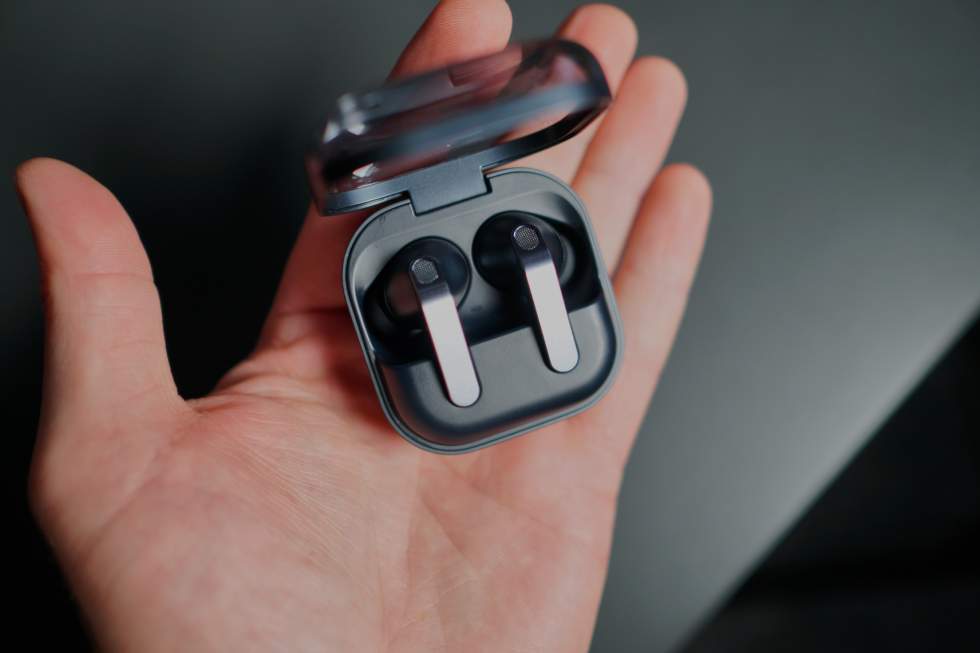
Samsung Galaxy Buds4 Pro Smacked to 42% Off
The Samsung Galaxy Buds4 Pro are about as quality as it gets for wireless earbuds in the tech space. These are the types of earbuds that compete directly with Apple’s AirPods, they just do so on this Android side of…
★ Obvious Affordances Are Due for a Comeback
Speaking of Marcin Wichary, like me, he’s a big user of Apple Notes. Unlike me, he’s such a big user of Notes that he (somehow) uses Notes as the CMS for the whole Unsung blog. In a post this week , he wrote about how…
 Techmeme
Apple removes MiniMax's chatbot Talkie from the App Store worldwide over sexual content, after outlets showed it evidence of AI characters sexualizing children (TBIJ)
TBIJ : Apple removes MiniMax's chatbot Talkie from the App Store worldwide over sexual content, after outlets showed it evidence of AI characters sexualizing children — Talkie's characters belittle and sexualise…
 Latent Space
The Revolution vs The Renaissance — Thariq Shihipar, OpenAI
AI can make software cheap enough to produce by the thousand and still give you more time to make one thing feel right. At AI Engineer CODE, Thariq Shihipar shows how those two futures can coexist. In his fighting game,…
 Techdirt
Daily Deal: MagStack Foldable 3-in-1 Wireless Charging Station with Floating Stand
MagStack is the perfect on-the-go wireless charging station that also transforms into a floating stand for smartphone FaceTime or video playback while charging. This 3-in-1 foldable design enables charging for up to 3…